
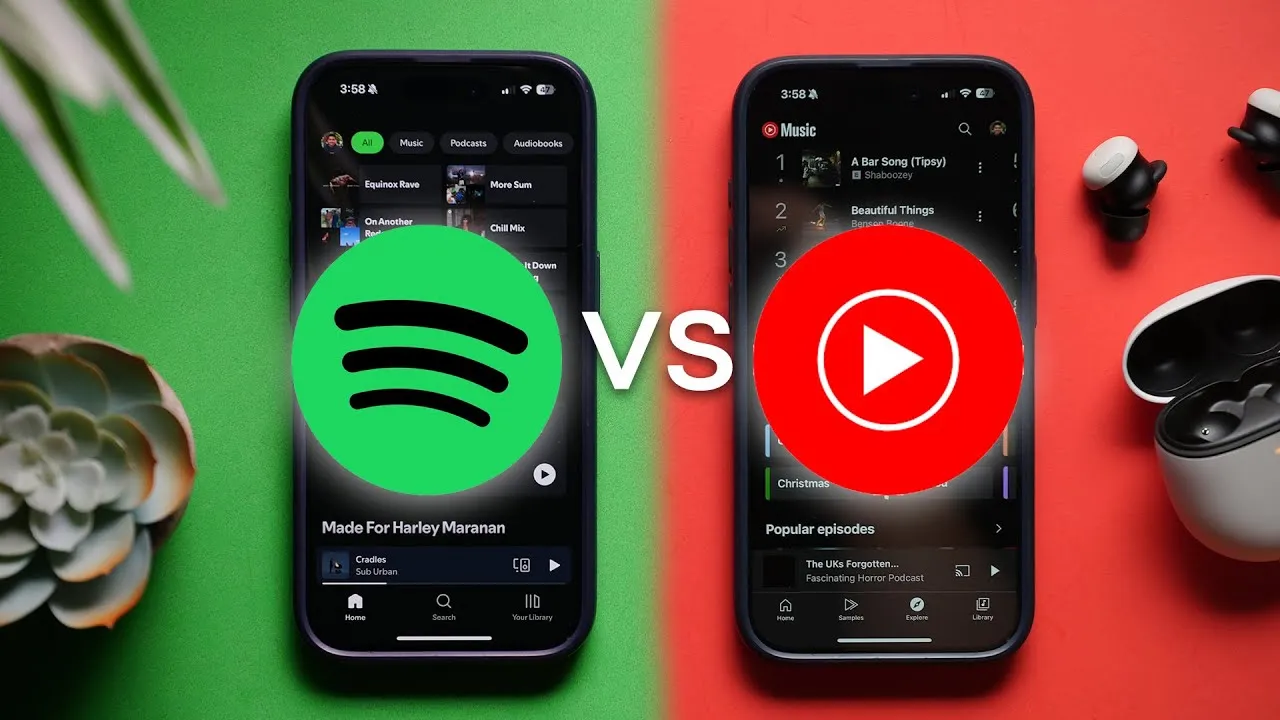
YouTube Music vs Spotify – Which Is Better in 2025?
It’s 2024, and I’ve spent well over the past six months using both YouTube Music and Spotify. The question I really wanted to answer this year is: Is YouTube Music better than Spotify?
Let’s break it down and look at each service’s advantages.
YouTube Music Advantages
Pros and cons
by inYoutubeMusic
6. Clean and Feature-Rich App
YouTube Music’s app is less cluttered than Spotify, especially if you don’t engage with podcasts or audiobooks. While Spotify often suggests podcasts and audiobooks, YouTube Music keeps the interface streamlined.
Some standout app features include:
- Quick Pick: Customized radio stations based on songs you liked or recently listened to.
- Music Tuner: Create stations using up to 30 artists, adjusting variety and discovery levels.
- AI Image Generation for Playlists: Generate artwork for playlists using generative AI via a gradient edit button.
- Music Video Toggle: Switch between song versions and music videos, with a “don’t play music videos” setting for recommendations.
5. Offline Mixtape
YouTube Music automatically downloads a 100-song playlist locally based on your listening history. This is perfect for travel or when you want offline music without manually downloading tracks.
Other helpful features include:
- Smart Downloads: Automatically saves up to 500 songs, keeping your offline mixtape, liked songs, custom stations, replay mixes, and favorite albums up to date.
4. Music Uploads
Unlike Spotify, YouTube Music allows uploading up to 100,000 tracks from your pc to the cloud, making them available across all your devices. This is useful for rare tracks or music missing due to licensing issues.
3. Algorithmic Choice
YouTube Music lets you fine-tune recommendations in the Up Next queue. You can adjust preferences for familiarity, discovery, popular tracks, deep cuts, or specific moods and genres. Once you like a playlist, you can save it with a single tap.
2. Music Track Availability
YouTube Music draws from YouTube uploads and official releases, providing more covers, live recordings, and indie tracks than Spotify.
1. YouTube Premium Bundle
The top advantage is how you get it. YouTube Music can be bundled with ad-free YouTube Premium, making the subscription more valuable. In the US, YouTube Music costs $10.99/month, but the Premium bundle is just $3 extra—a very cost-effective option.
Syncing Between Platforms
Switching between Spotify and YouTube Music manually can be tedious. Tools like Tune My Music help:
- Seamlessly transfer playlists, albums, and music libraries.
- Sync new additions automatically.
- Share playlists across platforms with friends.
This makes moving between services painless and keeps libraries up to date.
Spotify Advantages
What do you see as the key advantages of Spotify over other streaming services?
byu/KGRNxo inspotify
6. Dedicated Desktop Apps
Spotify offers full native apps for Windows and macOS, providing more features and a polished experience compared to YouTube Music’s PWA/web app.
5. Simplified Like System
Spotify’s like system is straightforward: hitting the plus button adds a song to your library and likes it simultaneously. YouTube Music requires separate actions.
4. Jam Sessions
Spotify allows friends and family to add songs to your queue in real time, even if they don’t have Premium. YouTube Music has collaborative playlists but lacks real-time queue management.
3. AI DJ Feature
Spotify’s AI DJ creates personalized mixes based on your listening history while introducing new songs. It’s perfect for those unsure what to play next.
2. Network Effects
Spotify still dominates the industry with a 30% global market share, more than double YouTube Music’s 9.7%. This makes it easier to share music with friends, create shared playlists, and use features like Jam Sessions.
1. Spotify Connect
Spotify Connect allows streaming to any integrated device and controlling playback remotely. It’s compatible with Sonos, Amazon devices, car infotainment systems, and more.
Additional features like Spotify Tap let you start music instantly on compatible headphones and devices with a simple tap.
Similarities Between Spotify and YouTube Music
- Both offer free versions.
- Personalized mixes and algorithmic recommendations are standard.
- Seasonal or yearly recaps exist: YouTube Music offers seasonal recaps, while Spotify has the annual Wrapped event.
- Neither currently supports high-res or Dolby Atmos streaming, though Spotify’s Hi-Fi tier is rumored.
It’s 2025, and the streaming world is more crowded than ever. Yet for most people, the real decision still comes down to two names: Spotify and YouTube Music.
Both:
- Claim 100M+ songs
- Have free and paid tiers
- Offer playlists, recommendations, and offline playback
But they approach music very differently. One is built around audio and discovery. The other is built on top of the biggest video platform in the world.
Quick Overview of Both Platforms
| Service | What It’s Best Known For |
|---|---|
| Spotify | Music discovery, playlists, podcasts, audiobooks, device support, social features |
| YouTube Music | Music + videos, live performances, remixes, uploads, smart downloads, YouTube Premium bundle |
Who Should Choose Which Platform (Quick Answer)
If you don’t want to read the whole breakdown, here’s the short version:
| If You… | Then You Should Probably Choose… |
|---|---|
| Want the best music discovery and smart playlists | Spotify |
| Watch a lot of YouTube and hate video ads | YouTube Music (via YouTube Premium) |
| Use tons of speakers, TVs, and gadgets | Spotify (Spotify Connect) |
| Love music videos, live performances, remixes, fan edits | YouTube Music |
| Share playlists with friends and care about social features | Spotify |
| Want automatic offline downloads and uploading your own music | YouTube Music |
Now let’s dig into the details.
What Is Spotify?
Brief History
Spotify launched in 2008 and more or less defined modern music streaming: millions of tracks on demand, either free with ads or paid without.
Over time, it expanded into:
- Podcasts
- Audiobooks
- Social and discovery tools like Discover Weekly, Wrapped, and Blend
Key Features
| Feature | How Spotify Handles It |
|---|---|
| Music streaming | 100M+ tracks, curated and algorithmic playlists |
| Discovery | Discover Weekly, Release Radar, Daily Mixes, Daylist, AI DJ (in some regions) |
| Podcasts | Massive library, including many originals/exclusives |
| Audiobooks | Included listening hours in many Premium plans |
| Devices | Spotify Connect on speakers, TVs, consoles, cars, etc. |
| Social | Collaborative playlists, Blend, Jam, Wrapped, sharing tools |
Popularity & User Base
Spotify still has the largest global market share among dedicated music streaming apps (around 30% as of late 2024). That matters because:
- Your friends are more likely to be on Spotify
- Sharing playlists and collaborative listening tends to be easier
What Is YouTube Music?
Brief History
YouTube Music is Google’s dedicated music service that:
- Launched in its current form in 2018
- Fully replaced Google Play Music by 2020
- Has been steadily gaining features to compete directly with Spotify
Key Features
| Feature | How YouTube Music Handles It |
|---|---|
| Music streaming | 100M+ tracks plus YouTube‑sourced content |
| Videos | Full access to music videos, live performances, lyric videos |
| Discovery | Your Mix, Supermix, Discover Mix, Samples tab, music tuner |
| Offline | Offline Mixtape, Smart Downloads that auto‑refresh |
| Uploads | Cloud uploads of your own music (up to ~100k tracks) |
| Recaps | Seasonal and yearly listening recaps |
Integration With Google Ecosystem
YouTube Music is tightly integrated with:
- Your Google account
- Your YouTube watch history
- Android, Chromecast, Google TV, Nest speakers/displays, and Google Assistant
If you already live in Google’s world (Android, YouTube, Nest devices), YouTube Music fits in naturally.
Content Availability & Variety
Music Catalog Size
Both Spotify and YouTube Music claim 100M+ songs. For mainstream releases, both will cover almost everything you want.
Originals, Remixes, Covers, Live Versions
| Content Type | Stronger Service (Generally) |
|---|---|
| Official albums & singles | Tie – both are very complete |
| Live sessions / studio exclusives | Slight edge to Spotify for its own sessions |
| Covers, remixes, fan edits, mashups | YouTube Music |
| Old live TV performances, rare videos | YouTube Music |
Because YouTube Music leans on the entire YouTube catalog, it’s much stronger for non‑standard content.
Podcasts (Spotify Advantage)
Spotify has:
- A huge podcast catalog
- Many originals/exclusives
- Good tools like queues, speed control, and sleep timers
- Everything integrated in one place with your music
YouTube Music is catching up by surfacing podcast versions of videos you already watch on YouTube, but Spotify is still ahead in pure podcast depth and tooling in most regions.
Videos & Music Videos (YouTube Music Advantage)
Here, YouTube Music dominates:
- Official music videos
- Concerts and live performances
- Lyric videos, fan uploads, and edits
- An audio ↔ video toggle on many tracks
Spotify has limited video content (including some video podcasts and a small number of music videos), but it doesn’t compare to what’s on YouTube.
Audiobooks Availability
| Aspect | Spotify | YouTube Music |
|---|---|---|
| Audiobook catalog | Large, structured catalog integrated directly into the app | No dedicated audiobook section; some content only as regular YouTube videos |
| Included hours | Many regions offer ~15 hours/month in Premium plans | No bundled audiobook listening time included |
Region Restrictions
Both services:
- Have regional licensing quirks (some content is unavailable in certain countries)
- Roll out features (like AI DJ, audiobooks, or podcast integrations) in phases
So the exact content mix will depend somewhat on where you live.
Sound Quality & Streaming Quality
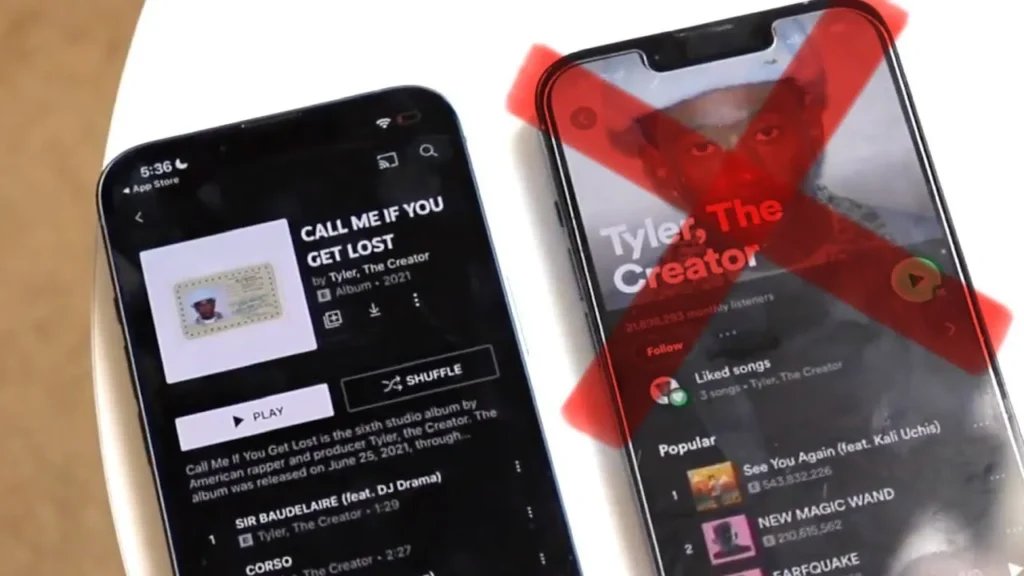
Note: Specific bitrates and codecs can change, but this is the general comparison as of late 2024.
Free Plan Audio Quality
| Tier | Spotify Free | YouTube Music Free |
|---|---|---|
| Approx. bitrate | Up to ~160 kbps (AAC/Ogg) | Around ~128 kbps (AAC/Opus) |
| Perceived quality | Good for casual listening | Also good, slightly lower on paper |
Premium Audio Quality
| Tier | Spotify Premium | YouTube Music Premium |
|---|---|---|
| Max bitrate | Up to 320 kbps (Ogg Vorbis) | Up to ~256 kbps (AAC/Opus) |
| Lossless / Hi-Res | Not available (HiFi still unlaunched) | Not available |
| Spatial audio | Not supported | Not supported |
In blind tests with typical wireless earbuds, most people won’t hear a major difference. For true audiophile features like lossless and Atmos, you’d look at Apple Music, Tidal, or Amazon Music instead.
Supported Formats & Devices
Both work on:
- iOS and Android
- Web browsers
- Many smart TVs and streaming sticks
- Android Auto & Apple CarPlay
Where they differ:
| Aspect | Spotify | YouTube Music |
|---|---|---|
| Connect / remote control | Spotify Connect: control any device from any other | Mostly standard casting (Chromecast) and basic device integration |
| Smart speakers | Very wide support (Sonos, Bose, Echo, etc.) | Strong on Nest/Google devices; weaker on others |
| Consoles & niche hardware | Broad support (PlayStation, Xbox, some gym equipment, etc.) | More limited support overall |
For device support, Spotify clearly wins.
User Interface & App Experience
Mobile App UI
- Spotify
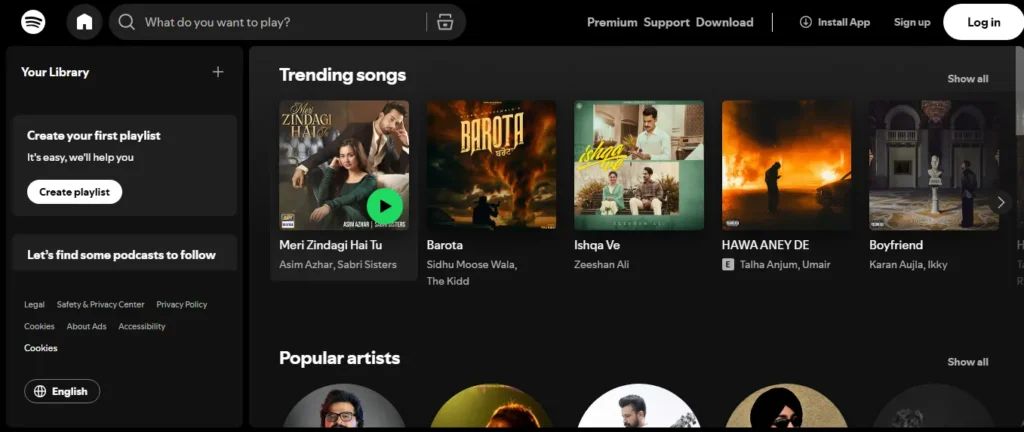
- Tabs for Home, Search, and Your Library
- Music, podcasts, and audiobooks mixed into one experience
- Very capable, but can feel crowded
- YouTube Music
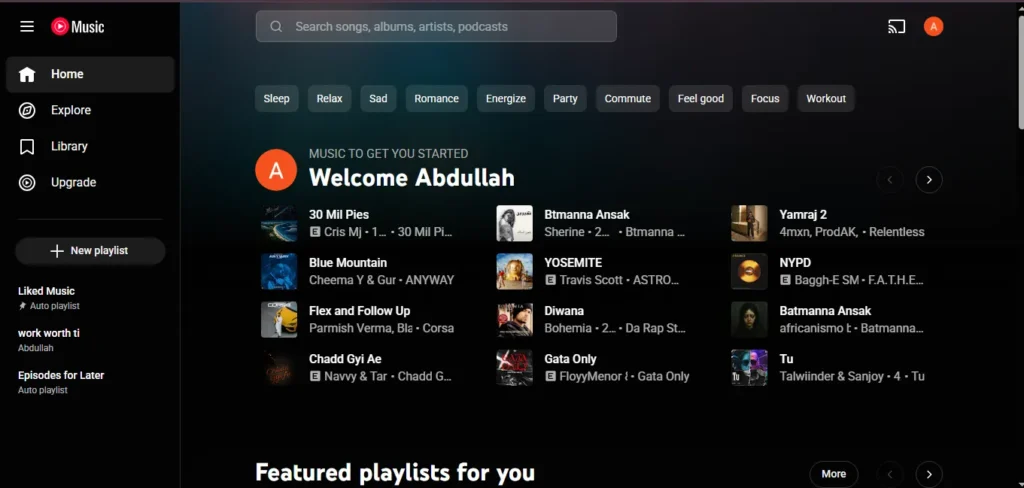
- Tabs for Home, Samples, Explore, Library
- Feels more music‑first, especially if you don’t use podcasts there
- Samples tab offers TikTok/Shorts‑style music discovery
Desktop / Web UI
| Aspect | Spotify | YouTube Music |
|---|---|---|
| Desktop app | Full native apps for Windows & macOS | PWA / web app (no full native client) |
| Web experience | Solid web player with most features | Primary desktop experience is the web player |
| Local files | Supports playing local files and loose integration | No true local-file sync; only manual uploads via web |
If you spend a lot of time on a laptop or desktop, Spotify’s native apps feel much more complete.
Navigation & Playlist Layout
- Spotify
- Powerful Your Library with filters (playlists, artists, albums)
- Sorting and pinning options, especially on desktop
- Great for large collections
- YouTube Music
- Simpler layout and library
- Fewer advanced sorting/filtering options
- Better suited to users who don’t obsess over massive library organization
Smart Downloads (YouTube Music Highlight)
YouTube Music’s Smart Downloads and Offline Mixtape:
- Automatically download a rotating selection of songs based on your listening
- Usually around 100 tracks for the Offline Mixtape, plus more from your liked music and mixes
- Refresh daily so you always have something offline without thinking about it
Spotify allows offline downloads—but only manually. There is no built‑in “auto‑refreshing offline mixtape.”
Vertical Tabs & Customization
- Spotify desktop: vertical sidebar with Home, Search, Your Library, plus pinned playlists and smart filters
- YouTube Music: simpler sidebar; fewer customization options and less granular control
Dark Mode & Accessibility
Both apps:
- Default to dark UI
- Respect system‑level accessibility settings like text size
- Have reasonable screen reader support, though experiences can vary by platform
Music Discovery & Recommendation Algorithm
Spotify’s Algorithm (Discover Weekly, Blend, Daily Mixes, etc.)
Spotify’s strength is discovery. Some key features:
- Discover Weekly – new songs tailored to your taste, updated weekly
- Release Radar – new releases from artists you listen to
- Daily Mixes – multiple mixes based on different sides of your taste
- Daylist – evolves throughout the day based on what you listen to at different times
- AI DJ (in select regions) – a talking DJ that strings together personalized sets
- Blend – merges your taste with someone else’s into a joint playlist
- Radio – generate a radio station from any song/artist/playlist
Spotify watches:
- What you play
- What you skip
- How often you replay certain tracks
- What people with similar taste enjoy
…and uses that to serve extremely accurate recommendations over time.
YouTube Music’s Personalized Recommendations
YouTube Music offers:
- Discover Mix – similar to Spotify’s Discover Weekly
- Your Mix – mostly music you already love
- Supermix – an all‑in‑one mix that blends different artists/genres you like
- Custom radios with the music tuner:
- Adjust artist variety
- Adjust discovery vs familiarity
- Add filters (chill, upbeat, new releases, etc.)
- Samples tab – swipe through short vertical videos of tracks (like TikTok/Shorts)
- Explore tab – trending songs, charts, genres & moods
Most importantly, it also uses your YouTube watch history:
- Watch a lot of live performances or certain artists on YouTube?
- YouTube Music will pull that into your recommendations.
Remixes, Unofficial Uploads, Covers on YouTube Music
Because it hooks into YouTube, YouTube Music can recommend:
- DJ mixes
- Fan‑made remixes
- Obscure live recordings
- Anime edits and unofficial uploads
This can make recommendations feel richer for niche genres that aren’t well represented on Spotify.
How Both Platforms Learn Your Taste
Both services look at:
- What you play most
- What you skip quickly
- What you save/like/add to playlists
- How often you come back to specific albums or artists
Spotify does this purely inside Spotify.
YouTube Music blends music listening + YouTube video viewing, which can capture more of your media habits.
Who Wins in 2025?
- If you care most about clean, intelligent music discovery, Spotify still feels slightly ahead.
- If you watch a lot of music content on YouTube and love remixes, lives, and fan uploads, YouTube Music might feel more you.
For discovery nerds: Spotify is still the safer bet.
Features & Functions
Offline Downloads
Both Premium versions let you:
- Download playlists, albums, and podcasts for offline listening
- Choose download quality
YouTube Music stands out thanks to Smart Downloads / Offline Mixtape (automatic offline music), whereas Spotify is 100% manual.
Lyrics
| Aspect | Spotify | YouTube Music |
|---|---|---|
| Coverage | Very wide | Wide, but less consistent |
| Sync | Live, line-by-line synced lyrics on many tracks | Often static (not synced); synced lyrics less common |
If synced lyrics matter, Spotify usually does a better job.
Smart Downloads (Recap)
- YouTube Music:
- Smart Downloads + Offline Mixtape = effortless offline library
- Spotify:
- Manual only
Crossfade, Gapless, EQ
| Feature | Spotify | YouTube Music |
|---|---|---|
| Crossfade | Yes, fully configurable | Available on many platforms but rollout varies |
| Gapless playback | Yes | Yes |
| Built-in EQ | Included on mobile in many regions | No built-in EQ; relies on system or headphone EQ |
If you like tuning your sound and transitions, Spotify gives you more direct control.
Playlist Collaboration
- Spotify
- Collaborative playlists
- Blend for merging tastes
- Jam for real‑time group queue control (friends can add songs from their phones)
- YouTube Music
- Collaborative playlists only (no Blend or Jam equivalents yet)
For social and group listening, Spotify is better.
Social Sharing
Spotify:
- Shareable links, Spotify Codes
- Friends Activity feed on desktop (and some mobile forms)
- Spotify Wrapped – a cultural event at the end of each year
YouTube Music:
- Seasonal Recaps (spring, summer, fall, year‑end)
- Simple share links
- Less social “hype” compared to Wrapped
Integration With Smart Devices
Spotify’s Spotify Connect lets you:
- Play music on one device (e.g., smart speaker)
- Control it from another (e.g., phone or laptop)
- Seamlessly hand off sessions between devices
YouTube Music:
- Works well with Chromecast / Google Cast and Google devices
- More limited third‑party support
- No exact equivalent to Spotify Connect’s breadth
Missing Features on YouTube Music (Community Complaints)
Common complaints from long‑time users:
- No full desktop app at Spotify’s level
- Simpler, sometimes frustrating library management
- Less powerful social features
- Lyrics coverage and consistency can lag behind
- Fewer “fun” AI‑driven features like Spotify’s AI DJ or Daylist
Pricing & Plans (2025 Overview)
Exact prices vary by country and change over time. Check local pricing for specifics.
Free Plans – Quick Comparison
| Aspect | Spotify Free | YouTube Music Free |
|---|---|---|
| Ads | Yes | Yes |
| On-demand playback | Limited; some playlists are shuffle-only | Often more on-demand, but varies by region |
| Background play | Usually allowed for music | Often blocked for video; full background play requires Premium |
| Offline downloads | No (for music) | No (for music) |
| Audio quality | Up to ~160 kbps | Around ~128 kbps |
Premium Individual, Family, Student, Duo
- Spotify
- Individual, Student, Duo, and Family plans in many regions
- Duo is great for couples/roommates
- YouTube Music
- Individual, Student, and Family plans
- No Duo, but Family can act as Duo if you share with one other person
Bundle Options (YouTube Premium + YT Music)
This is the key value play for YouTube:
With YouTube Premium, you get:
- YouTube Music Premium (no ads in music, offline, background)
- Ad‑free YouTube videos
- Background play for all YouTube videos
- Offline downloads for YouTube videos
YouTube Premium costs more than a bare Spotify subscription, but you’re paying for music + video together. If you use YouTube heavily, this can be the best value in streaming.
Which One Gives More Value?
| Situation | Better Value |
|---|---|
| You only care about music, rarely watch YouTube | Rough tie – slight edge to Spotify for features at similar price |
| You watch a ton of YouTube and hate ads | YouTube Premium + YouTube Music wins easily |
Library Management & Personalization
Playlist Creation
Both:
- Allow unlimited playlists
- Support custom ordering, descriptions, and artwork (to varying extents)
Spotify has more mature tools if you manage dozens or hundreds of playlists.
Smart Mixes
- Spotify:
- Daily Mixes
- Daylist
- On Repeat, Repeat Rewind
- Time‑ and habit‑based variations
- YouTube Music:
- Your Mix
- Supermix
- Tuner‑based radios
Both are good; Spotify offers more variety and novelty in its smart playlists.
Saved Songs and Organization
| Aspect | Spotify | YouTube Music |
|---|---|---|
| Library filtering | Strong (playlists, artists, albums, downloaded, etc.) | More basic filters |
| Large library management | Handles big collections well | Can feel limited for “power users” |
| Mixed content (podcasts/books/music) | All in one place (sometimes cluttered) | Music-first feel; podcasts still emerging |
Uploading Personal Music (YouTube Music Advantage)
YouTube Music lets you:
- Upload up to around 100,000 personal tracks to the cloud
- Access them on all devices alongside your streaming library
Spotify:
- Can play local files on desktop and sometimes sync limited selections to phone
- But has no proper cloud uploads for a unified library across devices
For collectors of rare or old music, YouTube Music wins here.
Library Limitations & Complaints
- Spotify
- Playlist track limits for extreme users
- Some find the merging of music, podcasts, and audiobooks messy
- YouTube Music
- Basic filtering and sorting
- Fewer advanced tools for massive collections
Popularity & Unique Audiences
Which Is More Popular Globally?
- Spotify is still the largest dedicated music streaming app by market share.
- YouTube is massive overall, but YouTube Music as a standalone app trails Spotify in pure music usage.
Audience Types
| Audience Type | Better Fit (Generally) |
|---|---|
| Students on a tight budget | Depends on local student discounts; often Spotify if cheaper |
| Heavy YouTube viewers | YouTube Music (via YouTube Premium) |
| Creators in Google ecosystem | YouTube Music integrates well with their workflow |
| Families | Tie: both have strong family plans; Premium vs Premium bundle may decide |
| Kids | Spotify (Spotify Kids in some regions) |
| Audiophiles | Neither – look at Apple Music, Tidal, etc. |
| Playlist nerds & discovery fans | Spotify |
Content Transfer Between Platforms
People search this constantly: “How do I move my playlists from Spotify to YouTube Music?”
Manual transfer is painful. Use a transfer service.
Popular Tools
- Soundiiz
- Tune My Music
Both:
- Work in any modern browser
- Support Spotify, YouTube Music, and many other platforms
- Have free tiers with limitations and paid tiers for power users
How to Transfer Playlists (Step‑by‑Step Example With Soundiiz)
- Create an account
Go tosoundiiz.comand sign up. - Connect your accounts
Connect Spotify and YouTube Music by logging into each and granting access. - Choose your source playlists
In Soundiiz, pick Spotify as the source and select the playlists you want to move. - Choose your destination
Select YouTube Music as the destination. - Start the transfer
Soundiiz will try to match each track on Spotify with a track on YouTube Music. - Review missing tracks
Some rare songs, remixes, or local‑only files may not transfer.
You can replace or ignore those as needed.
The same basic process works if you’re moving from YouTube Music to Spotify (just swap source and destination).
Transferring Albums & Favorite Tracks
Most tools also allow:
- Transferring saved albums
- Converting liked songs into playlists on the destination platform
Check your tool’s options for “albums” and “liked tracks.”
Limitations of Transferring
- Not every track exists on both services
- Some metadata (play counts, exact history) won’t transfer
- Free plans may limit the number of playlists or songs per transfer session
Still, using Soundiiz or Tune My Music can save hours versus manual recreation.
Pros & Cons Comparison Table
Spotify – Pros
| Spotify Pros | Description |
|---|---|
| Excellent discovery | Discover Weekly, Release Radar, Daylist, AI DJ, Blend, radio |
| Podcasts & audiobooks | Deep integration; many shows and built‑in audiobook hours |
| Spotify Connect | Seamless control across speakers, TVs, consoles, cars |
| Desktop apps | Full‑featured Windows & macOS apps, good for power users |
| Social features | Collaborative playlists, Jam, Blend, Wrapped, sharing tools |
| High max bitrate | Up to 320 kbps Ogg for Premium users |
Spotify – Cons
| Spotify Cons | Description |
|---|---|
| No lossless/HiFi (yet) | Long‑promised, not widely launched as of late 2024 |
| Cluttered home feed | Mixes music, podcasts, and audiobooks together |
| Free plan limitations | More restrictions on queue control and playback |
| No cloud uploads | Local file support, but not true cloud sync |
| Regional rollouts | Some features only in certain countries |
YouTube Music – Pros
| YouTube Music Pros | Description |
|---|---|
| YouTube integration | Access to music videos, live performances, remixes, fan content |
| Smart Downloads | Offline Mixtape and Smart Downloads auto‑download music |
| Upload your own music | Cloud library for personal, rare, or unavailable tracks |
| Simpler UI | Less cluttered for music‑only listeners |
| YouTube Premium bundle | Ad‑free YouTube + background play + offline video + music |
| Great for niche content | EDM mixes, anime edits, old live shows, etc. |
YouTube Music – Cons
| YouTube Music Cons | Description |
|---|---|
| No full desktop app | Web/PWA only; fewer advanced features on desktop |
| Weaker device integration | No Spotify Connect equivalent; fewer niche device partners |
| Fewer social features | No Blend, no Jam, less social discovery |
| Lyrics inconsistency | Coverage and sync can be patchy |
| Evolving podcasts | Podcast experience not as mature as Spotify in many regions |
Free Plan Comparison
| Aspect | Spotify Free | YouTube Music Free |
|---|---|---|
| Ads | Yes, between tracks/podcasts | Yes, before/after songs/videos |
| On-demand playback | Limited; some playlists are shuffle-only | Often more flexible, but region-dependent |
| Background play | Generally allowed for audio | Often disabled for video unless Premium |
| Offline downloads | No (for music) | No (for music) |
| Queue organization | Some limitations (e.g., skipping, queue editing) | More lenient in some regions, but still ad-supported |
| Audio quality | Up to ~160 kbps | Around ~128 kbps |
If you refuse to pay:
- Spotify Free is often better for background music
- YouTube Music Free can feel more flexible in on‑demand selection, but background limits and ads can be more intrusive
Additional Features Worth Noting
Smart Downloads (Again)
YouTube Music’s Smart Downloads and Offline Mixtape genuinely reduce friction:
- Open the app on a plane or subway
- Your personalized offline selection is already there
If offline reliability is important, this alone is a reason to consider YouTube Music.
Video Switch Mode
Instant audio ↔ video toggling on YouTube Music is incredibly useful:
- Hear a song, then quickly jump into the full music video
- Or drop back to just the audio if you’re on the go
Podcasting Changes Around 2025
- Spotify is focusing less on expensive exclusives and more on solid tools and monetization for podcasters, but podcasts remain central.
- YouTube/YouTube Music is increasingly treating many talk shows and long‑form videos as “podcasts,” but the experience still varies by region and is evolving.
Community and Social Features
- Spotify has a stronger social identity with Wrapped, Blends, and sharing tools.
- YouTube Music feels more like a personal player that rides on top of YouTube’s massive video community rather than building its own.
Exclusive Content
- Spotify – some podcast exclusives, curated sessions and playlists.
- YouTube Music – effectively gets all YouTube‑exclusive music videos, fan content, and performances.
What’s Missing on Both
- True lossless tiers
- Fully transparent artist payment models
- Perfect, universal lyrics and metadata
Frequently Asked Questions
Which Is More Popular?
As a dedicated music streaming service, Spotify is more popular globally.
As a broader platform, YouTube (including YouTube Music) is enormous, but that includes non‑music content.
Which Pays Artists More?
It’s complicated and varies by:
- Country
- Type of account (free vs premium)
- Deals between labels, distributors, and platforms
Both use a pro‑rata model, where all subscription revenue is pooled and divided by share of total streams. On a per‑stream basis, the difference between Spotify and YouTube Music is less important than:
- Total number of streams
- Where those streams come from
Most artists treat streaming as one piece of a bigger pie (shows, merch, licensing, etc.).
Is YouTube Music Replacing Google Play Music Fully?
Yes.
Google Play Music is gone, and YouTube Music is its full replacement.
Can I Transfer My Playlist?
Yes. Use tools like:
- Soundiiz
- Tune My Music
They allow you to move playlists, albums, and liked songs between Spotify, YouTube Music, and many other services.
Does Spotify Have Videos?
Spotify has:
- Video podcasts
- Some music videos and clips in certain regions
But it doesn’t come close to YouTube’s video depth.
Which One Is Better for iOS or Android?
- Both work very well on iOS and Android.
- YouTube Music ties more deeply into Android and Google services.
- Spotify feels very consistent and equally polished across both platforms.
Which Is Better for Gym / Car / Study?
- Gym: Spotify’s crossfade, EQ, and workout playlists make it a strong pick.
- Car: Both support Android Auto and CarPlay; Spotify’s broader device support and Connect help.
- Study: Both have excellent focus playlists; Spotify’s discovery features for ambient/lo‑fi are particularly strong.
Final Verdict – Which One Should You Choose?
Best for Music Lovers (Discovery‑Obsessed)
Spotify
- Superior recommendation engine
- More and better smart playlists (Discover Weekly, Daylist, AI DJ)
- Stronger social and collaborative tools
Best for Video + Music Users
YouTube Music (with YouTube Premium)
- Music + music videos + live performances
- Seamless connection with YouTube itself
- Great if you switch frequently between watching and listening
Best for Recommendations
Overall, Spotify still wins—especially if your region has AI DJ and AI‑generated playlists.
Best for Offline Use
YouTube Music
- Offline Mixtape and Smart Downloads automatically keep offline music updated
- Great if you commute, travel, or have inconsistent internet
Best for Price Value
| Situation | Recommendation |
|---|---|
| You rarely watch YouTube and just want music | Spotify (slight edge for features at similar price) |
| You watch a lot of YouTube and hate ads | YouTube Premium + YouTube Music (unbeatable bundle value) |

I’m martably passionate music enthusiast and researcher behind all the content you find here at spotifyapk.
As the site’s owner and publisher, my mission is simple: to provide clear, informative, and useful guides on the ever-evolving world of digital music platforms. Follow the journey and connect on Instagram: @martably! This site is dedicated to informational purposes, fueled purely by a love for music.

