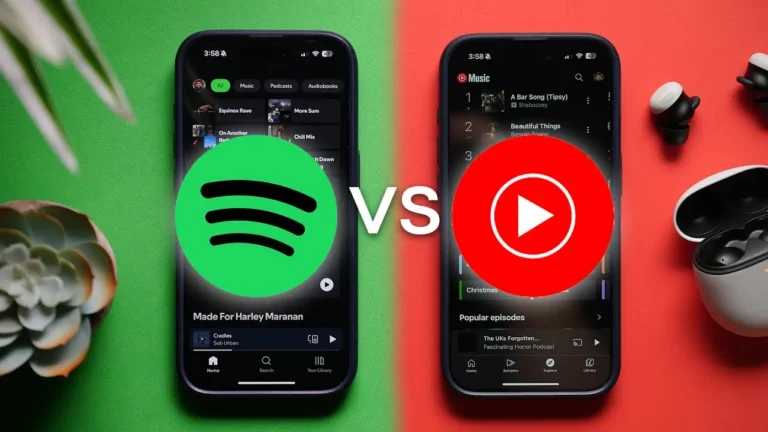
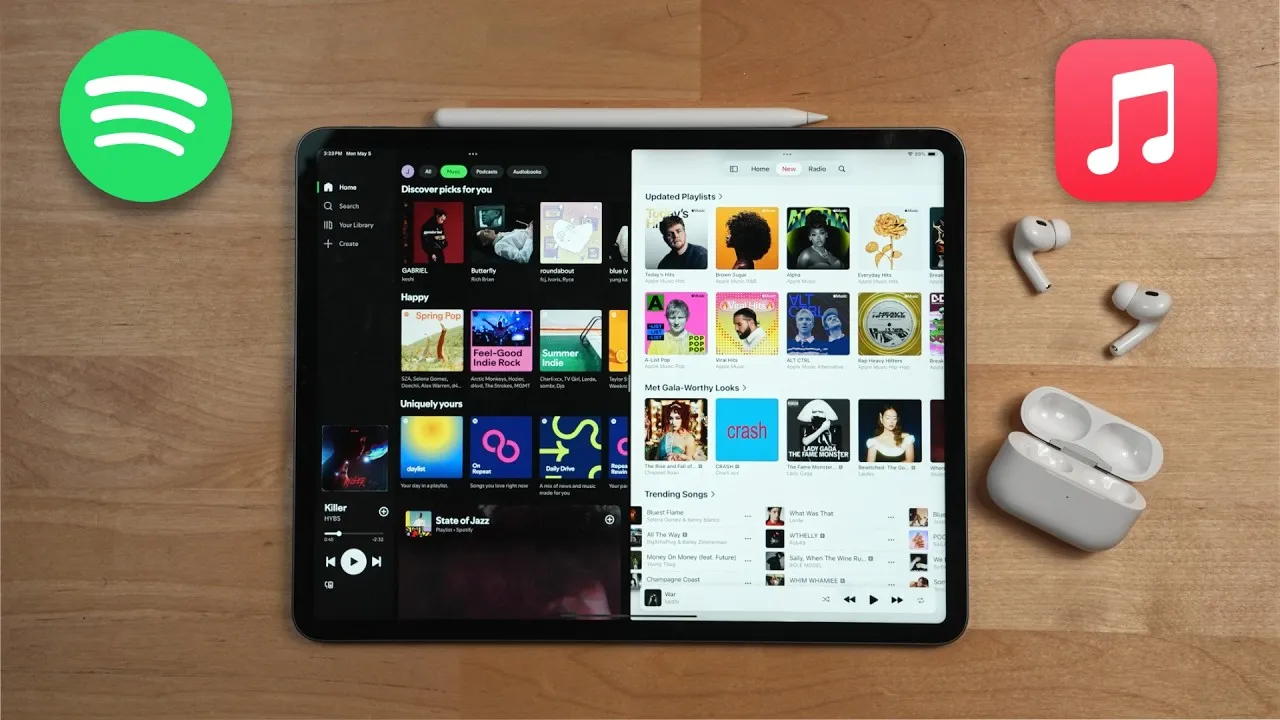
Spotify vs Apple Music: Which Is Best in 2026? (The Honest Truth)
Spotify versus Apple Music. Everyone argues about which one’s better, but here’s the truth that nobody says out loud. And trust me, it isn’t a pretty one.
I’ve been a loyal Spotify user for the past 4 years, but as somebody who loves everything Apple, I decided to give Apple Music a go during this past month, and what I ended up finding out isn’t at all what I expected.
This really isn’t about the fancy features or a side‑by‑side spec comparison. It’s about the day‑to‑day use and how it feels when you actually go to listen to music every single day. And even though a lot of what I’ll share comes from testing in 2024 and 2025, the conclusions still hold up in 2026.
Starting With Spotify
All right, so let’s start with Spotify.
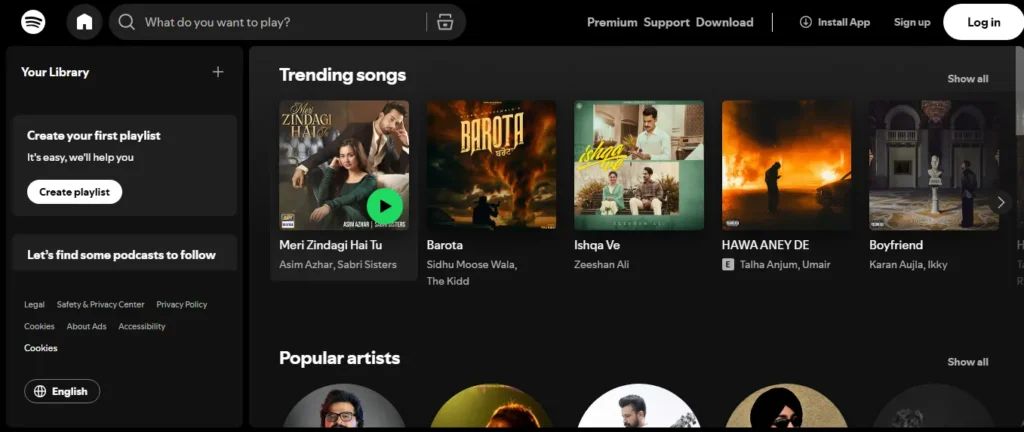
For some reason, I just felt that Spotify’s playlists and recommendations were much better than on Apple Music. For some reason, Spotify just knows exactly what I wanted to hear and when I wanted to hear it.
You also have user‑submitted playlists, which although I didn’t think was going to be that big of a deal, it really, really was. And for me, Spotify honestly just feels like it’s more alive. It has more things going on.
Apple Music, on the other hand, feels like the complete opposite.
Apple Music: The Hard Truth
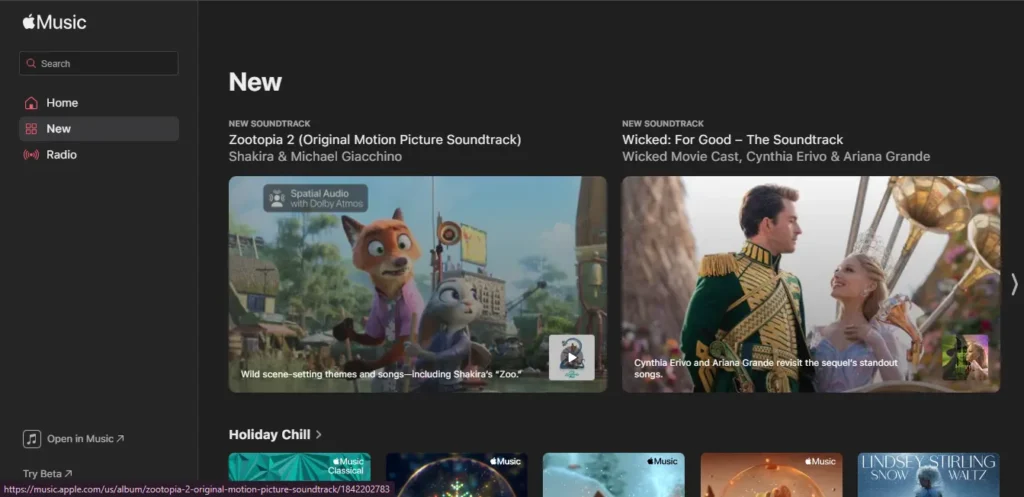
When comparing Spotify vs. Apple Music in 2026, Apple Music still feels like the less polished option — at least for many users who prefer simplicity and personalization. Here’s the honest breakdown.
1. A Confusing and Messy UI
One of the biggest drawbacks of Apple Music is its cluttered and unintuitive interface. Navigation doesn’t feel natural, and the layout often makes it difficult to quickly find what you want.
2. No User-Submitted Playlists
Unlike Spotify’s giant ecosystem of community-made playlists, Apple Music only shows playlists curated by Apple.
This means:
- Fewer niche playlists
- Less personalization
- Limited variety for discovering new music through people, not algorithms
3. “New” Section Feels Random
Apple Music’s New section is supposed to be tailored to your taste — but most users report the opposite. It often shows:
- Random songs and artists you never listen to
- Irrelevant playlists
- Zero personalization
It feels more like browsing a billboard than a personalized recommendation feed.
4. The Forced “Favorites” Playlist
A small detail, but still annoying: Apple Music forces a Favorites playlist on you, and you cannot remove it.
If you’re someone who organizes music by genre or mood — not by “likes” — this playlist just sits there empty and useless.
5. FaceTime Integration That Not Everyone Wants
Whenever you’re on FaceTime and play music:
- The other person can see what you’re listening to
- Apple automatically suggests SharePlay
For some people, it’s a fun social feature.
For others, it’s completely unnecessary and even intrusive.
6. The Useless Radio Tab
Apple Music includes a Radio tab, but it feels outdated and unnecessary.
If you’re already paying for an Apple Music subscription, using a radio-style feature that still requires navigating inside the app defeats the purpose.
Most people would rather:
- Play their own playlists
- Or use true radio (which is free anyway)
Quick Comparison: Spotify vs. Apple Music (2026)
| Feature | Apple Music | Spotify |
|---|---|---|
| UI & Navigation | Confusing, cluttered | Clean, simple, familiar |
| Playlists | Only Apple-curated | Millions of user playlists |
| Personalization | Weak, often random | Strong & highly tailored |
| Social Features | FaceTime + SharePlay | Collaborative playlists, Blend, better sharing |
| Radio | Outdated & rarely useful | Spotify Radio works dynamically |
| Discovery | Limited | One of Spotify’s biggest strengths |
Small Pros I Actually Liked in Apple Music
Although Apple Music has several drawbacks, it does shine in a few areas — especially when it comes to visuals and overall polish. Here are some small but genuinely impressive pros that stood out.
Why is Spotify better than Apple Music?
byu/Bluejay3784 inspotify
1. Best-in-Class Visuals
If Apple Music wins anywhere, it’s in visual design.
The app looks cleaner, sharper, and much more premium compared to Spotify. From transitions to layout, everything feels aesthetically pleasing — even if the usability isn’t always perfect.
2. Stunning Lock Screen Animations
Apple Music’s lock screen animations are miles ahead of Spotify’s.
Instead of a static album image, the album artwork subtly moves, creating a more dynamic and immersive experience. It feels more alive and adds a nice touch to everyday music listening.
3. Higher-Quality Lossless Audio
Apple Music supports lossless audio, and while many people think it’s overhyped, the difference becomes clear when using good headphones or speakers.
You’ll notice:
- More depth
- Better background detail
- Richer, fuller sound
Switching back to Spotify can feel flat and less powerful in comparison.
4. Better Queue Management
One unexpected gem in Apple Music is its queue controls.
You can:
- Add songs to the top of the queue
- Add songs to the bottom
- Rearrange tracks more easily
Spotify has a “Play Next” feature, but reaching it requires more taps, making Apple Music’s approach smoother and faster.
5. Beautiful Full-Screen Lyrics
Apple Music’s lyrics design is easily one of the best in the industry.
They look clean, elegant, and perfectly aligned with Apple’s minimalist aesthetic. Compared to Spotify, the difference is noticeable immediately.
6. Top 100 Charts Instead of Top 50
Apple Music offers Top 100 charts for each country.
For music discovery, more songs = better variety, so having twice as many trending tracks is a big win.
However, unlike Spotify, Apple Music doesn’t highlight these charts prominently — you have to search for them manually. If you didn’t already know the playlist existed, you might never find it.
Apple Music — Small Pros at a Glance
| Feature | Why It’s Good |
|---|---|
| Visual Design | Clean, premium, aesthetically pleasing |
| Lock Screen Animations | Dynamic moving album covers |
| Lossless Audio | Richer, fuller, more detailed sound |
| Queue Management | Add to top/bottom, easier controls |
| Lyrics UI | Beautiful, minimalist, Apple-style |
| Top 100 Charts | More discovery than Spotify’s Top 50 |
Why Spotify Still Feels More “Alive”
Even after comparing the pros and cons of both apps, Spotify still feels more alive and dynamic. It’s not just about music streaming — it’s the ecosystem around each track that makes Spotify feel richer and more interactive.
1. More Context Around Every Song
On Spotify, each track is surrounded by layers of useful information. Instead of simply showing the release date, Spotify gives you:
- Artist merch
- Concert and tour dates
- Lyrics
- Credits and collaborators
- Artist biography and “About” section
This extra context makes each song feel like its own mini-page. Some people prefer a minimal layout, but for many listeners (including me), it makes the experience feel more complete and connected.
2. A Thriving Community Through User Playlists
One of Spotify’s biggest strengths is its massive library of user-generated playlists. This creates a community-driven environment that Apple Music simply doesn’t have.
You can:
- Create your own playlists
- Access your playlists from any device
- View playlists made by friends
- Discover old playlists made years ago by random users
This adds variety, personality, and depth to the platform. There’s always something new to explore, and you can find extremely specific playlists that match exactly what you’re looking for.
3. More Variety, More Discovery
Because millions of users contribute playlists, Spotify becomes a discovery machine. Whether you want niche genres, mood mixes, workout lists, or 2012 nostalgia — you’ll find it.
This collective energy is what makes Spotify feel “alive.” It’s not just a streaming app; it’s a living ecosystem constantly shaped by its users.
What Makes Spotify Feel More Alive (Quick Summary)
| Feature | Why It Feels Alive |
|---|---|
| Song Pages | Packed with artist info, credits, merch, tours |
| Community Playlists | Endless variety & personalization |
| User Ecosystem | Friends, creators, and global users shape the app |
| Discovery | Fresh content appears daily |
The Overall Hard Truth (From Daily Use)
Apple Music vs Spotify
byu/Positive_Career_9393 inMusic
When it comes down to day-to-day usage, the hard truth is that Apple Music just isn’t good enough — at least not right now.
The UI feels clunky, unintuitive, and difficult to adjust to. Instead of switching to Apple Music and being impressed by new features, I found myself immediately missing core Spotify features I rely on every day.
Yes, Apple Music is undeniably more aesthetic. The visuals, animations, and overall design quality are noticeably better. But an app can’t survive on looks alone — and when it comes to actual daily usability, Spotify feels smoother, faster, and more complete in every way that matters.
In its current state, Apple Music simply isn’t close. It has potential — and I’ve mentioned before that if Apple focuses on certain improvements, it could catch up in the next few years. But right now, Apple Music is nowhere near Spotify in everyday practicality.
This perspective is surprisingly rare, considering most comparisons only highlight features like lossless audio vs. non-lossless. But the real difference becomes clear only when you use both apps consistently — Spotify just works better.
So that’s the honest conclusion. Whether you agree, disagree, or fall somewhere in the middle really depends on how you listen to music daily. Let me know your take: Are you Team Spotify or Team Apple Music?
Six Months With Both: Has Apple Caught Up Yet?
After spending over six months using both Apple Music and Spotify side by side, the question I really wanted to answer was simple:
Has Apple finally caught up to the king of music streaming?
Even though my testing began back in 2024, almost everything I observed still applies when looking at both platforms in 2026. Both services have grown, improved, and added new features — but the core experience remains surprisingly consistent.
So, let’s start with the platform that has dominated the streaming world for years: Spotify.
Spotify’s Advantages (Broken Down)
6. Playlists
Coming in at number six, the advantage for Spotify is playlists.
Spotify has a larger number of customized‑for‑you playlists than Apple Music. While both have Favorites, Repeat, and Discovery playlists, Spotify takes the repeat one step further with the Repeat Rewind playlist, which is a playlist of all your favorite music you were listening to in the past.
Spotify also has a Time Capsule playlist, plus different decade, genre, and mood mixes all based on your taste profile.
You can use Spotify’s Blend feature to create a customized playlist based on you and a friend or spouse.
5. AI DJ Feature
The number five advantage for Spotify is the AI DJ feature.
“Now, I’ve pulled together a few artists you’ve been listening to, maybe one or two you haven’t heard, all with a similar vibe.”
It’s great for those times when you want to listen to something but you’re not really sure what to listen to. The DJ will typically start off with something you’ve been listening to recently and then reach back into your listening history as well as introduce you to new stuff along the way.
4. Network Effects
Spotify’s number four advantage is network effects.
According to Statistica, it still dominates the industry. Why does this matter? Well, because it’s more likely that your friends and family are using Spotify. That means it’ll likely be easier to:
- Share music and playlists with them
- Use collaborative features in a meaningful way
You can also do things like start a Jam where your friends and family can add songs to your Spotify queue, and they don’t have to be paying members of Spotify Premium to use that feature.
Apple Music also has collaborative playlists like Spotify. While they don’t have a Jam session feature, Apple Music does have a SharePlay car feature so everyone in the car with an iPhone with ios can easily control what music to play.
3. Spotify Connect
Moving on, Spotify Connect is the number three advantage for Spotify.
This feature allows you to stream your Spotify music to any device that integrates with Spotify. Not only that, but it lets you control whatever music you have playing on a device.
For example, if I’m playing Spotify through my Sonos speakers, I can open up the Spotify app on my MacBook Air and control what’s playing in real‑time.
Apple Music doesn’t have anything like this. Even though, like Spotify, Apple Music is available on a ton of different devices, it lacks this functionality.
2. Free Tier
The number two top Spotify feature for me is that it has a free tier. Unlike Apple Music, you don’t have to pay Spotify money to use it.
Spotify’s free tier does have some caveats, though:
- It includes ads
- You can’t download music to listen offline
- You can’t always play songs in any order that you want
- You also can’t listen to music in high quality, organize your listening queue fully, or listen with friends in real‑time via the Jam feature
But the fact that it exists at all is still a big plus.
1. Recommendation Algorithms
Moving on, Spotify’s number one advantage is its recommendation algorithms.
These power everything from:
- Personalized playlists
- The Up Next queue
- The DJ feature
- And more
As you listen to Spotify more—searching for songs, listening to music, skipping tracks, and adding stuff to your library—all of those actions influence what Spotify calls your taste profile.
It helps give Spotify’s algorithms an indication of what you’re interested in and how you like to listen.
For example, say you listen to the new Taylor Swift or Beyoncé album. Spotify is likely going to recommend more songs by Taylor Swift or Beyoncé to you.
You also have the ability to exclude certain content from your taste profile, like a playlist your kids want to listen to but you do not want to impact your recommendations.
But what really sets Spotify’s algorithms apart from Apple Music’s is they’re better at picking up on trends and pattern recognition without a ton of information.
For example, a recent song I haven’t been able to get enough of is “Homesick” featuring Sam Fender by Noah Kahan. You’ll see in my Up Next queue in Spotify it includes more Noah Kahan and Sam Fender, but it also sprinkles in artists I’ve been listening to a lot lately like Taylor Swift and Post Malone, which kind of vibes with “Homesick” a bit, and then after that, another Noah Kahan track with Post Malone.
In contrast, Apple Music, though, took a different approach. I’ve had the new Taylor Swift album on repeat for basically more than a month, but nowhere are those tracks found in the autoplay queue. Its next suggestion was “Adventure of a Lifetime” by Coldplay, a track I haven’t really listened to in years, though it did include two additional tracks by Noah Kahan and Sam Fender, which is good.
But see what I mean about Spotify’s algorithms being a bit better at picking up what you’re currently into and listening to and then having that influence its recommendations?
A Quick Note on Switching Between Services (Tune My Music)
Before jumping into Apple Music’s advantages, there’s something important worth mentioning — switching music services manually is a huge headache. If you’ve ever tried to move playlists one by one, you know how time-consuming and frustrating it can be.
Fortunately, there are tools that make this process much easier. One of the best ones I used during my testing period is Tune My Music. It’s a powerful transfer and syncing tool that works across all major platforms, including Spotify and Apple Music.
With Tune My Music, you can:
- Transfer playlists, albums, and entire libraries between services
- Automatically match songs across platforms so nothing gets lost
- Move thousands of tracks (I transferred over 2,000 songs with almost zero mismatches)
- Sync playlists automatically, so changes on one app appear on the other
- Share playlists with friends, and they can add them regardless of which service they use
If you switch platforms often or want to test multiple music apps at the same time, tools like Tune My Music make the whole process effortless. Instead of rebuilding playlists from scratch, you can focus on comparing the actual listening experience.
Apple Music’s Advantages
All right, now let’s talk about Apple Music.
5. Apple Music Radio
Coming in at number five is Apple Music Radio.
This feature consists of live, old‑school radio stations you can listen to via Apple Music. Apple has three main stations, all of which are free for anyone to listen to, even if you’re not an Apple Music subscriber.
If you do pay for Apple Music, though, you’ll be able to:
- Play shows on demand through the Apple Music app
- As well as the Apple Podcasts app through Apple Podcasts’ new channels feature
Overall, while I don’t typically listen to Apple Music Radio that much, I will tune into a show when Zane Lowe interviews an artist I’m interested in, as well as Elton John’s radio hour, which for me has been a great way to get out of my recommendation bubble and have exposure to artists I might not otherwise listen to.
4. Buying & Importing Music (iTunes + Local Files)
The number four advantage is the ability to purchase music through iTunes.
Apple Music integrates music you purchase via iTunes right into the Apple Music app. Not only that, but Apple Music also lets you import music you obtained from other sources, and yes, you can import CDs directly into the desktop music app.
This is actually pretty important because while music streaming services, in general, are great, there are gaps in the music they make available, either due to licensing issues or sometimes the artists themselves will pull their earlier music from their catalog off of these services.
Now, while Spotify does allow you to import your local music files into its desktop app, what it doesn’t allow you to do is:
- Upload those files to a cloud library
- And then make all of those files available to all of your devices
Apple Music does let you do this as long as you have iCloud Music Library turned on.
3. Apple Music Classical
Coming in at number three is Apple Music Classical.
It’s a separate app that you can download and use with your Apple Music subscription. It has better metadata for searching for specific pieces and recordings, as well as composers and conductors.
The playlists you create in Apple Music Classical will conveniently sync with your main Apple Music app as well.
2. Library Management & App Design
Apple Music’s second major advantage is its strong library management and more polished app design. Even though this can be subjective, certain differences are very noticeable once you use both apps daily.
🔹 Apple Music’s Library Feels Like a Real “Library”
Apple Music organizes your collection in a way that feels intentional and structured.
What Apple Music does well:
- Your library feels categorized, not just dumped in one place
- Easy to browse and rediscover old music
- Classic iTunes-style sorting options
- Ability to add/remove metadata columns (artist, year, genre, etc.)
- Clean separation of Songs, Artists, Albums, and Playlists
What Spotify struggles with:
- Library feels like one long list of “Liked” items
- Everything is mixed together
- Less intuitive when you want to browse older music you added
If you love exploring your saved music, Apple’s approach is clearly better.
🔹 More Polished App Design
When it comes to design smoothness and visual consistency, Apple Music has an edge.
Apple’s design advantages:
- Interface feels cleaner and more premium
- Transitions and animations are smoother
- Album artwork is highlighted better across the app
Spotify’s UI works, but it often feels busy and crammed with extra content.
🔹 Better Real-Time Lyrics
Both apps offer real-time lyrics, but Apple’s implementation is noticeably more refined.
Why Apple’s lyrics feel better:
- Each word highlights precisely as it’s sung
- Cleaner typography and spacing
- Great for singing along
- Built-in Apple Music Sing (karaoke mode) with vocal reduction using AI
Spotify does have real-time lyrics, but not with the same level of accuracy or visual polish.
🔹 Visual Extras: Animated Albums
Apple Music leans heavily into visuals:
- More animated album covers throughout the app
- Smoother album transitions
- A cohesive look tied across all screens
Spotify’s equivalent is the Canvas video loops on the Now Playing screen — cool, but not as widely integrated.
🔹 Spotify’s Main Design Problem: Clutter
Spotify’s UI suffers from one issue Apple avoids:
Spotify often feels cluttered because of:
- Podcasts mixed with music
- Audiobooks everywhere
- Promoted content
- Endless recommendations
- Too many tabs and carousels
This aligns perfectly with what we said earlier:
Apple wins visuals and design, Spotify wins usability and “alive” feeling.
1. Dolby Atmos & High-Res Lossless Audio
The biggest advantage Apple Music has over Spotify in 2024–2026 is simple:
Apple Music includes both Dolby Atmos and High-Res Lossless audio at no extra cost.
Spotify announced its own premium high-quality tier back in early 2021, but even years later, it still hasn’t arrived — and there’s no Dolby Atmos support either.
🔹 What Apple Music Offers
Apple Music gives users:
- High-Res Lossless audio (up to 24-bit/192 kHz)
- Standard Lossless audio
- Dolby Atmos / Spatial Audio
- Access to 75+ million lossless tracks
- All included in the base subscription
Apple uses its own lossless codec to preserve every bit of the original audio file.
🔹 What This Means for the Average Listener
Audio quality on Apple Music is objectively higher. However:
- Some people struggle to hear big differences between lossy (compressed) and lossless audio
- Bluetooth headphones usually cannot transmit true lossless audio
- To hear full-quality lossless, you’ll need to plug in via wired headphones, DAC, or compatible gear
Still, Apple Music gives you the option — Spotify doesn’t.
🔹 Why Dolby Atmos Matters More
While lossless audio is great, Dolby Atmos is the real game changer.
Unlike stereo (left + right channels), Dolby Atmos is an object-based audio format, meaning sound engineers can place vocals, instruments, and effects anywhere in a 3D space.
This makes music feel more immersive. In Dolby Atmos mixes, you’ll notice:
- More vocal effects
- Clearer instrumentation separation
- Enhanced room ambience
- Wider, more spacious soundstage
🔹 Atmos Audio Characteristics
Dolby Atmos tracks behave differently from stereo:
- Atmos mixes are required to be at –18 LKFS, so they sound 10 dB quieter
- They have more headroom, meaning fewer loudness limits
- They offer greater dynamic range (bigger difference between quiet and loud parts)
- Stereo mixes today are often pushed as loud as possible, which reduces dynamics
Not all Atmos mixes sound perfect — some early ones drowned out vocals — but modern Atmos releases are much better.
🔹 Dolby Atmos Shines in Classical Music
One genre where Atmos really stands out is classical.
Whether you’re listening on a speaker like the Sonos Era 300 or a pair of supportive headphones, Atmos enhances:
- The sense of room space
- The direction of instruments
- The realism of concert-hall acoustics
For classical lovers, it’s a major upgrade.eally hear the sound placement with different parts of the orchestra.
So… Has Apple Music Caught Up to Spotify?
So those are the advantages of Spotify and Apple Music. Now let’s talk recommendations.
Has Apple Music caught up to Spotify, especially in terms of recommendations?
No, but it is further along to catching up to Spotify than it was a year ago.
For me, I found myself using Apple Music more and more now that the recommendations don’t completely suck. I like that it supports Dolby Atmos and high‑quality lossless streaming. I also love the Apple Music Classical app, and I like the Apple Music app in general—my podcasts and audiobooks aren’t cluttering the user interface. It’s just focused on music.
But if you care more about:
- Algorithmic recommendations
- More playlists and mixes customized to you
- And you want your audiobooks, podcasts, and all music in a single app
Spotify is still going to be the better choice.
I’ve left links to our blog post for this comparison, which includes the sources I used to help create this video, and a Dolby Atmos music playlist I created if you want to try out Apple Music and see what Atmos is all about.
To see videos about the audio devices you can use with these services, like the Era 300 I mentioned, you can get to those by clicking on the playlist here.
If you liked this video and found it helpful, make sure you hit that thumbs‑up button below and subscribe to the channel for more content like this.
For “6 Months Later,” I’m Josh Teder. Thanks for watching.
Final 2026 Verdict
Putting all of that together:
- Apple Music wins on visuals, audio quality, library management, classical, and local file integration.
- Spotify wins on recommendations, playlists, social features, free tier, Spotify Connect, and that overall “alive” feeling when you just open the app and hit play.
In 2026, Apple Music is closer to Spotify than it used to be—but for day‑to‑day listening, discovering new music, and sharing with friends, Spotify is still ahead.
Is Spotify better than Apple Music in 2026?
For most people, yes—Spotify is still better for daily use thanks to stronger recommendations, smarter playlists, and social features. Apple Music wins on sound quality and visuals, but Spotify feels more “alive” for everyday listening.
Which has better sound quality: Spotify or Apple Music?
Apple Music wins here. It offers built‑in lossless and Dolby Atmos at no extra cost, while Spotify is still limited to compressed (lossy) streaming. On SpotyfyAPK.com we break down how this actually sounds on real headphones and speakers.
Which is cheaper: Spotify or Apple Music?
Their paid plans are usually priced very similarly in most regions, but Spotify has a free tier and Apple Music doesn’t. If you want to try streaming without paying, Spotify is the better deal.
Which has better music recommendations, Spotify or Apple Music?
Spotify’s algorithms are still ahead in 2026. Its Discover Weekly, Release Radar, AI DJ and Blend playlists adapt faster to your taste than Apple Music’s suggestions.
Do I need an iPhone to use Apple Music?
No. Apple Music works on Android, Windows, smart TVs and more—but it’s most seamless on Apple devices. Spotify, by contrast, is equally strong across almost every platform.

I’m martably passionate music enthusiast and researcher behind all the content you find here at spotifyapk.
As the site’s owner and publisher, my mission is simple: to provide clear, informative, and useful guides on the ever-evolving world of digital music platforms. Follow the journey and connect on Instagram: @martably! This site is dedicated to informational purposes, fueled purely by a love for music.