How to Use the Spotify API with Python A Step-by-Step Guide
How to Use the Spotify API Interacting with the official Spotify API allows you to pull massive amounts of data—from artist details and track popularity to user playlists. In this guide, we will walk through the entire process: setting up your developer credentials, authenticating your Python script, and building a program to find any artist’s top tracks.
By the end of this post, you’ll have a functional script and a solid understanding of how the official Spotify API workflow operates.
Phase 1: Create Spotify Developer Project
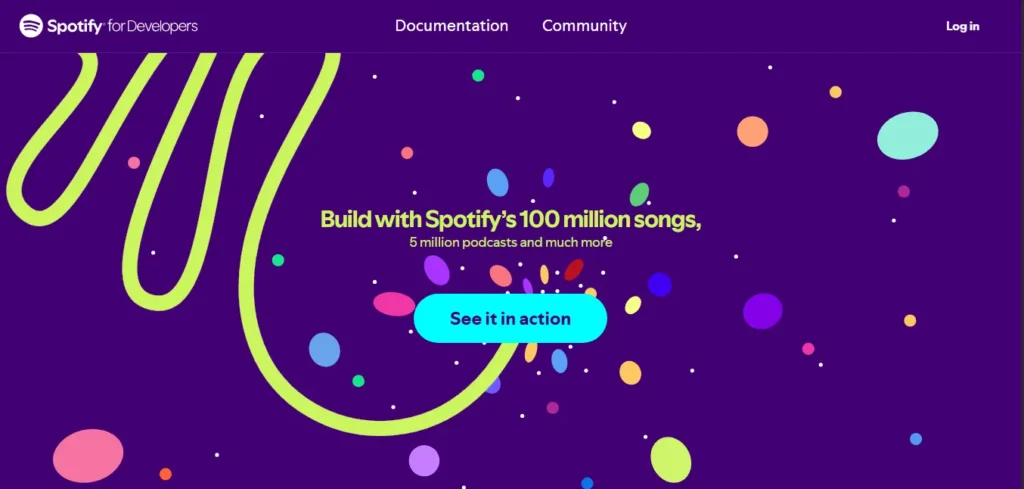
Before writing a single line of code, you need to register an application on the official Spotify Developer Dashboard.
- Visit the Spotify for Developers website.
- Log in with your official Spotify account.
- Click Create App.
- Give your app a name (e.g., “Python API Project”) and a description.
- Once created, locate your Client ID and Client Secret. Keep these secure, as they are the “keys” to your application.
Phase 2: Environment Setup in Spotify
We will use Visual Studio Code (VS Code) and Python 3.10+. To keep our credentials safe, we will use a .env file.
1. Secure Your Credentials
Create a file named .env in your project folder and add your keys:
Code snippet
CLIENT_ID=your_client_id_here
CLIENT_SECRET=your_client_secret_here
2. Install Necessary Packages
Open your terminal and run the following commands to install the libraries required for environment management and web requests:
pip install python-dotenvpip install requests
Phase 3: Authenticating with the API
The official Spotify API uses the Client Credentials Flow for server-to-server interaction. This involves sending your ID and Secret (encoded in Base64) to Spotify’s account service to receive a temporary Access Token.
The get_token Function
This function handles the complex encoding and POST request required to get your token:
Python
import os
import base64
import json
from dotenv import load_dotenv
from requests import post

load_dotenv()

client_id = os.getenv("CLIENT_ID")
client_secret = os.getenv("CLIENT_SECRET")

def get_token():
    auth_string = client_id + ":" + client_secret
    auth_bytes = auth_string.encode("utf-8")
    auth_base64 = str(base64.b64encode(auth_bytes), "utf-8")

    url = "https://accounts.spotify.com/api/token"
    headers = {
        "Authorization": "Basic " + auth_base64,
        "Content-Type": "application/x-www-form-urlencoded"
    }
    data = {"grant_type": "client_credentials"}

    result = post(url, headers=headers, data=data)
    json_result = json.loads(result.content)
    token = json_result["access_token"]
    return token
Phase 4: Searching for an Artist
Once you have a token, you need to find an artist’s unique Spotify ID. You cannot fetch top tracks by name alone; you must search for the artist first to retrieve their ID.
Python
def get_auth_header(token):
    return {"Authorization": "Bearer " + token}

def search_for_artist(token, artist_name):
    url = "https://api.spotify.com/v1/search"
    headers = get_auth_header(token)
    query = f"?q={artist_name}&type=artist&limit=1"

    query_url = url + query
    result = get(query_url, headers=headers)
    json_result = json.loads(result.content)["artists"]["items"]

    if len(json_result) == 0:
        print("No artist with this name exists...")
        return None

    return json_result[0]
Phase 5: Fetching Top Tracks
With the Artist ID in hand, we can now query the top-tracks endpoint. Note that you must specify a country code (like “US”) for the ranking data.
Python
def get_songs_by_artist(token, artist_id):
    url = f"https://api.spotify.com/v1/artists/{artist_id}/top-tracks?country=US"
    headers = get_auth_header(token)
    result = get(url, headers=headers)
    json_result = json.loads(result.content)["tracks"]
    return json_result
Phase 6: Running the Final Program
Finally, we tie everything together to search for an artist (e.g., AC/DC) and print their top 10 tracks in a readable list.
Python
token = get_token()
result = search_for_artist(token, "ACDC")
artist_id = result["id"]
songs = get_songs_by_artist(token, artist_id)

for idx, song in enumerate(songs):
    print(f"{idx + 1}. {song['name']}")
Summary
- Base64 Encoding: Required for the initial token request.
- Bearer Token: The access token must be prefixed with “Bearer ” in all subsequent API headers.
- JSON Parsing: Spotify returns data as JSON, which Python easily handles via the
jsonmodule.
Whether you’re building a music discovery tool or a data analysis project, mastering these authentication and search steps is the foundation for any official Spotify API integration.

I’m martably passionate music enthusiast and researcher behind all the content you find here at spotifyapk.
As the site’s owner and publisher, my mission is simple: to provide clear, informative, and useful guides on the ever-evolving world of digital music platforms. Follow the journey and connect on Instagram: @martably! This site is dedicated to informational purposes, fueled purely by a love for music.