How To Get 3 Months FREE Spotify Premium 2025/26
If you love music but hate ads, getting Spotify Premium for 3 months free (or almost free) is one of the best deals you can grab in 2025/26.
In this complete guide, you’ll learn two official and legit methods based on real, working offers:
Both methods are legal, safe, and provided by Spotify or its official partners.
Before using any method, keep these points in mind:
- These offers are official, but time-limited and country-dependent
- Availability, pricing, and eligibility can change anytime
- Always double-check details on Spotify and LinkedIn before proceeding
Spotify Premium Pricing
The first method uses a real example from Ghana, where Spotify Premium pricing is as follows:
This guide focuses on the Individual Premium plan (22 GHS/month).
Normally, 3 months of Individual Premium would cost 66 GHS. However, using the official promo shown in the tutorial, users were able to get 3 months for only 10 GHS total, which is a massive discount.
If you’re new to Spotify subscriptions, it’s important to understand how the free plan compares before claiming any offer.
Learn the key differences in this detailed guide on Spotify Premium vs Free experience.
Method 1 – Official Spotify 3‑Month Premium Offer
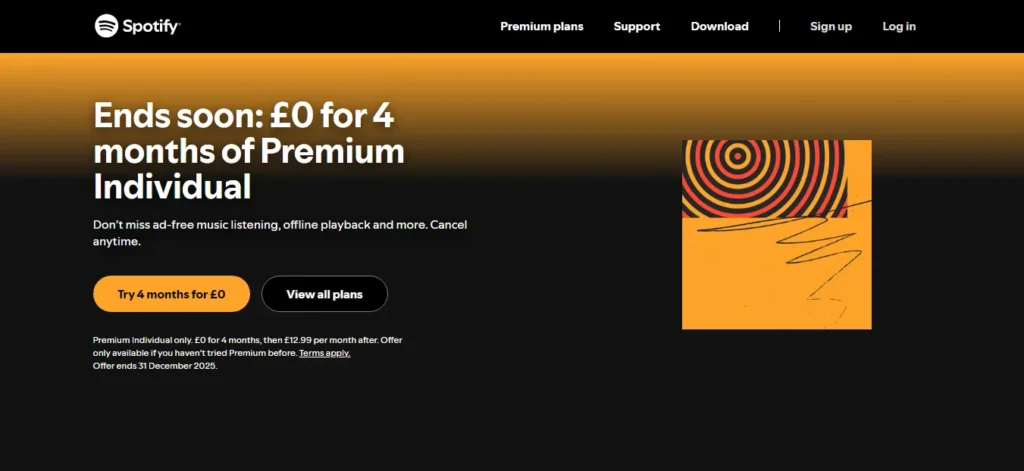
This method is based on an official Spotify promotional campaign that allows eligible users to get 3 months of Spotify Premium at no cost or for a very small fee, depending on the country. The offer is usually available to new Spotify Premium users in selected regions and is activated directly through Spotify’s own website, making it completely legit and safe. Once activated, users can enjoy all Premium features—including ad-free music, offline downloads, and unlimited skips—before regular billing starts after the promotional period if the plan is not canceled.
This method uses an official Spotify promotional page that offers 3 months of Premium.
Before activating the 3-month free Spotify Premium deal, make sure your account stays protected from misuse or suspension.
Follow these essential tips on how to keep your Spotify account safe.
Supported Devices
This method works on:
- Android
- iPhone (iOS)
- PC / Laptop
You only need a web browser such as Chrome, Safari, or Edge.
Requirements
To use this method, you must meet the following conditions:
- Be in a country where the 3‑month Spotify promo is active (example: Ghana)
- Be a new Spotify Premium user
- Your Spotify account must never have subscribed to Premium before
If you’ve used Premium earlier, it’s recommended to create a new Spotify account.
You’ll also need:
- A Spotify account (new or free)
- A local Ghana‑issued bank card
❗ Important: Foreign cards (USD/EUR or non‑Ghana cards) usually do not work and often show a payment error.
Step‑by‑Step: Get 3 Months for ~10 GHS
Many users also look for alternative ways to access premium features without paying monthly charges.
Check this complete guide on how to get Spotify Premium for free safely and legally.
Follow these simple steps to activate the official Spotify promo and enjoy 3 months of Premium for around 10 GHS. The process is quick, beginner-friendly, and works directly through Spotify’s official website.
Step 1: Open the Official Spotify Promo Page
You should see a message like:
“Get 3 months of Premium for free”
This is an official Spotify website, not a third‑party page.
Step 2: Sign In or Create a New Account
- If you’re already logged in, Spotify may take you directly to checkout
- Otherwise, click Log In or Sign Up
You can sign up using:
- Apple
Creating a new account is recommended if you’ve used Premium before.
Step 3: Confirm the 3‑Month Offer
On the checkout page, you’ll see something like:
- “3 months for 0.00 GHS”
- “Then 22 GHS/month starting [date]”
This means:
- The first 3 months are free
- Billing starts after the trial unless you cancel
Step 4: Add Payment Method (Local Ghana Card Only)
Select Card as the payment method and enter:
- Card number
- Expiry date
- CVV
- Cardholder name
⚠️ Do not use foreign or dollar cards — the payment will fail.
Step 5: Review the Charges
Before confirming, Spotify will clearly show:
- 3 months: 0.00 GHS
- Then 22 GHS/month
This confirms:
- No regular charge for the first 3 months
- Auto‑billing starts afterward
Step 6: Complete the Purchase
- Click Complete Purchase
If successful:
- Spotify Premium activates instantly
- You can enjoy ad‑free music, offline downloads, unlimited skips, and better sound quality
Why Was 10 GHS Charged on a “Free” Offer?
In the tutorial example:
- The page showed 0.00 GHS for 3 months
- After checkout, the card was charged 10 GHS
- The amount was not refunded
Possible reasons include:
- Verification or authorization charge
- Local taxes or fees
- Regional billing rules
Even with this charge, 3 months for 10 GHS is still far cheaper than paying 66 GHS at regular pricing.
After Activation: Cancel If You Don’t Want Future Charges
To avoid monthly billing after the 3‑month period:
- Go to Spotify Account Settings
- Open Your Plan
- Click Cancel Premium
- Confirm cancellation
You’ll keep Premium until the trial ends, then your account will return to the free plan.
Method 2 – Get Up to 3 Months Free via LinkedIn Premium Perks
This method uses LinkedIn Premium’s official partner perks to unlock up to 3 months of Spotify Premium for free. It’s especially useful because it can work even if you’ve used a Spotify trial before, depending on availability.
- Comes directly from LinkedIn Premium
- Can work even if you’ve used Spotify trials before
- Fully official, legal, and safe
Requirements
To use this method, you’ll need:
- A LinkedIn account
- Access to the LinkedIn Premium free trial (1 month)
- A Spotify account (new or existing)
- Availability of the Spotify perk in your country
Note: LinkedIn Premium perks vary by region and time.
Step‑by‑Step: Redeem Spotify via LinkedIn
Follow these steps to redeem the Spotify offer through LinkedIn Premium Perks and activate your free Premium months. The process is official, safe, and takes only a few minutes to complete.
Step 1: Log In to LinkedIn
- Visit LinkedIn.com or open the LinkedIn app
- Sign in to your account
Step 2: Activate LinkedIn Premium Trial
- Click Try LinkedIn Premium for 1 month
- Complete the signup (payment info may be required)
Your account will now have LinkedIn Premium.
Step 3: Open Premium Features
- Click Me (top right)
- Select Premium Features
Step 4: Find Premium Perks
Look for sections like:
- Premium Perks
- Partner Offers
You may see offers such as:
- ExpressVPN (3 months)
- Spotify Premium (up to 3 months)
Click Spotify Premium.
Step 5: Redeem the Spotify Offer
- Click Redeem 3 Months Free
- You’ll be redirected to Spotify with the promo applied
Step 6: Log In to Spotify
Log in to your Spotify account using:
- Email and password, or
- 6‑digit email verification code
Step 7: Activate the Trial
- Click Start free trial
- The page will show up to 3 months of Spotify Premium
- Add or confirm a payment method if required
In the example, this method worked even for a previous Premium user.
Important Things to Remember (Both Methods)
Before using either method, keep these final points in mind:
- Offers can change or expire anytime
- Billing starts after the trial if not canceled
- A payment method is usually required
- Country restrictions apply
- Always read the fine print before confirming
Final Thoughts
If available in your region, these two official methods can save you a lot of money on Spotify Premium in 2025/26. Whether you use Spotify’s own promo or LinkedIn Premium perks, you can enjoy ad‑free music, offline downloads, and premium sound at little to no cost.
Make sure to check eligibility, follow the steps carefully, and cancel on time if you don’t want to be charged later.
If you’re planning to cancel after the free trial ends, knowing the correct steps can save you unwanted charges.
Here’s a step-by-step tutorial on canceling Spotify Premium subscription the right way.

I’m martably passionate music enthusiast and researcher behind all the content you find here at spotifyapk.
As the site’s owner and publisher, my mission is simple: to provide clear, informative, and useful guides on the ever-evolving world of digital music platforms. Follow the journey and connect on Instagram: @martably! This site is dedicated to informational purposes, fueled purely by a love for music.